PharmaCare is a modern, secure, and easy-to-use Pharmacy Management System built with PHP, MySQL, Bootstrap 5, and JavaScript. Manage medicines, stock, purchases, suppliers, customers, prescriptions, sales, invoices, and reports from one powerful dashboard with role-based access control.
Description
PharmaCare – Pharmacy Management System
PharmaCare is a complete, user-friendly, and modern Pharmacy Management System designed to help pharmacies efficiently manage medicines, inventory, purchases, suppliers, customers, prescriptions, sales, invoices, and business reports from a single platform.
Built with PHP, MySQL, Bootstrap 5, HTML5, CSS3, and JavaScript, PharmaCare provides a clean and responsive interface with role-based access control, making it suitable for small and medium-sized pharmacies.
Why Choose PharmaCare?
- Easy-to-use and clean admin interface
- Role-based access control
- Complete medicine and inventory management
- Batch and expiry date tracking
- Purchase and supplier management
- Fast medicine sales and POS workflow
- Automatic stock updates
- Customer and prescription management
- Printable sales invoices
- Low stock and expiry alerts
- Sales, purchase, inventory and profit reports
- Responsive Bootstrap 5 interface
- PHP & MySQL based
- Easy to install on XAMPP or standard PHP hosting
Core Features
1. Dashboard
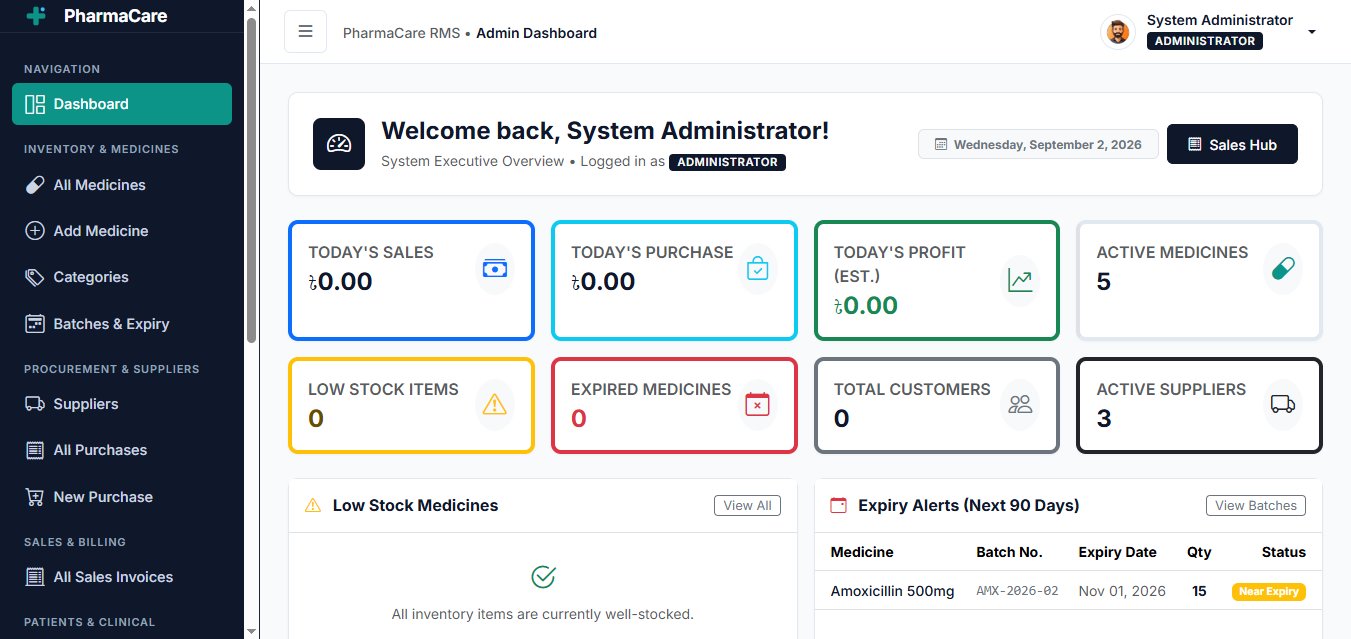
Get an overview of your pharmacy business from a single dashboard. The dashboard provides important statistics and alerts to help you monitor daily operations quickly.
- Total Medicines
- Today's Sales
- Today's Purchases
- Today's Profit
- Total Customers
- Total Suppliers
- Low Stock Medicines
- Expired Medicines
- Recent Sales
- Recent Purchases
- Expiry Alerts
- Low Stock Alerts
2. Medicine & Inventory Management
Manage your complete medicine inventory with detailed medicine information, pricing, stock levels, batch numbers, and expiry dates.
- Add, edit and view medicines
- Medicine categories
- Generic name management
- Manufacturer information
- Medicine type and strength
- Purchase price
- Selling price
- Minimum stock level
- Batch number tracking
- Expiry date tracking
- Current stock tracking
- Low stock alerts
- Expired medicine alerts
- Near-expiry medicine alerts
3. Supplier & Purchase Management
Manage pharmaceutical suppliers and record medicine purchases with supplier invoices, batch information, quantities, pricing, payments, and due amounts.
- Supplier management
- Supplier contact information
- Purchase entry
- Purchase invoice number
- Purchase date
- Medicine and batch selection
- Expiry date
- Purchase quantity
- Purchase price
- Discount management
- Paid amount
- Due amount
- Automatic stock increase after purchase
4. Sales & POS
Process medicine sales quickly through the integrated POS-style sales interface. Add medicines to the cart, calculate totals, apply discounts, record payments, and generate printable invoices.
- Fast medicine search
- Cart-based sales system
- Batch selection
- Quantity management
- Discount calculation
- Subtotal and grand total calculation
- Paid and due amount
- Customer selection
- Automatic stock reduction
- Sales history
- Invoice generation
- Printable invoice
5. Customer & Prescription Management
Keep customer information and prescription records organized. Staff can maintain customer details and store prescription-related information for future reference.
- Customer management
- Customer contact information
- Customer sales history
- Prescription records
- Doctor name
- Prescription date
- Prescription notes
- Prescription file/image upload
6. Reports & Settings
Generate useful reports to monitor pharmacy sales, purchases, inventory, stock levels, expiry status, and profitability.
Sales Reports
- Daily sales report
- Weekly sales report
- Monthly sales report
- Custom date range report
- Total sales
- Total discount
- Paid amount
- Due amount
- Profit summary
Purchase Reports
- Date-wise purchase report
- Supplier-wise purchase report
- Total purchase amount
- Paid amount
- Due amount
Inventory Reports
- Current stock report
- Low stock report
- Expired medicine report
- Near-expiry medicine report
- Stock valuation
System Settings
- Pharmacy name
- Pharmacy address
- Phone number
- Logo
- Currency
- Invoice settings
- Invoice footer
Role-Based Access Control
PharmaCare includes role-based access control so different staff members can access only the features they are authorized to use.
Automatic Stock Management
Stock quantities are automatically updated based on purchases and sales.
Responsive Design
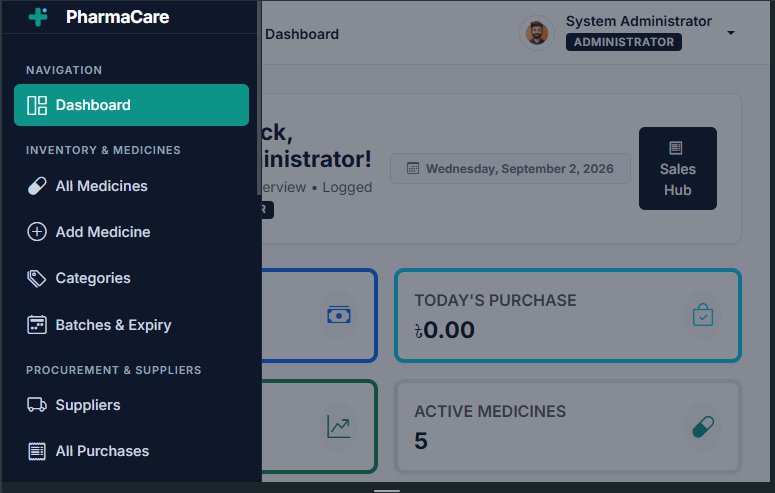
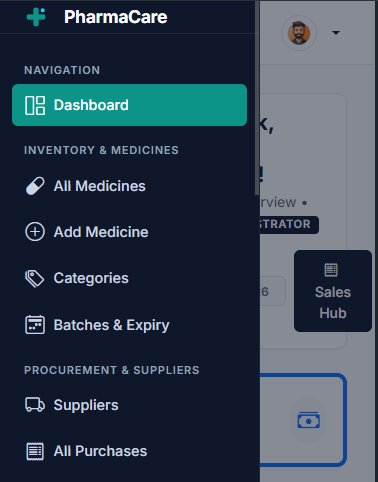
The system is built with Bootstrap 5 and provides a responsive interface that works across desktops, laptops, tablets, and mobile devices.
Technology Stack
- PHP
- MySQL
- HTML5
- CSS3
- Bootstrap 5
- JavaScript
- AJAX
- PDO / MySQL Database
Installation
PharmaCare is designed for easy installation on a standard PHP hosting environment or a local development environment such as XAMPP.
- Upload the project files to your server.
- Create a MySQL database.
- Import the provided SQL database file.
- Configure the database connection.
- Open the application in your browser.
- Login using the provided administrator credentials.
Suitable For
- Retail Pharmacies
- Medicine Shops
- Small and Medium Pharmacies
- Pharmacy Inventory Management
- Medical Stores
- Pharmacy POS Operations
Requirements
- PHP 8.0 or higher
- MySQL 5.7+ / MariaDB
- Apache or compatible web server
- Modern Web Browser
Important Note
PharmaCare is intended for pharmacy business and inventory management purposes. Local pharmacy regulations, prescription requirements, medicine dispensing rules, tax requirements, and other legal requirements may vary by country and should be configured according to applicable local regulations.
Support
Documentation and basic installation guidance are included with the product. For technical issues related to the original product, please contact the author through the marketplace support system.
```Versions
PharmaCare – Pharmacy Management System with POS & Inventory
PHP Scripts
By Scriptovia
0 downloads · 0 sales
Log in to purchase
Login