A modern and easy-to-use Restaurant POS & Management System built with Raw PHP, MySQL and Bootstrap 5. Manage food menus, dining tables, orders, billing, payments and sales reports from one centralized dashboard.
Description
Restaurant POS & Management System
Restaurant POS & Management System is a modern, lightweight and easy-to-use restaurant management solution built with Raw PHP, MySQL, HTML, CSS, Bootstrap 5 and JavaScript.
It is designed for small and medium-sized restaurants, cafes, food shops and dining businesses that need a simple system to manage their daily restaurant operations from a single dashboard.
Key Features
- Modern and responsive admin dashboard
- Role-based access control
- Restaurant settings management
- Food category management
- Food/menu item management
- Dining table management
- POS order management
- Kitchen order status management
- Billing and invoice management
- Multiple payment methods
- Printable restaurant receipts
- Sales and payment reports
- Food item sales analytics
- Responsive Bootstrap 5 interface
Restaurant Workflow
The system follows a simple and practical restaurant workflow:
- Select an available dining table.
- Add food items and quantities to the order.
- Submit the order for kitchen processing.
- Update the order status from Pending to Preparing, Ready and Served.
- Generate the customer bill.
- Receive payment using the available payment method.
- Generate and print the receipt.
- Automatically make the table available for the next customer.
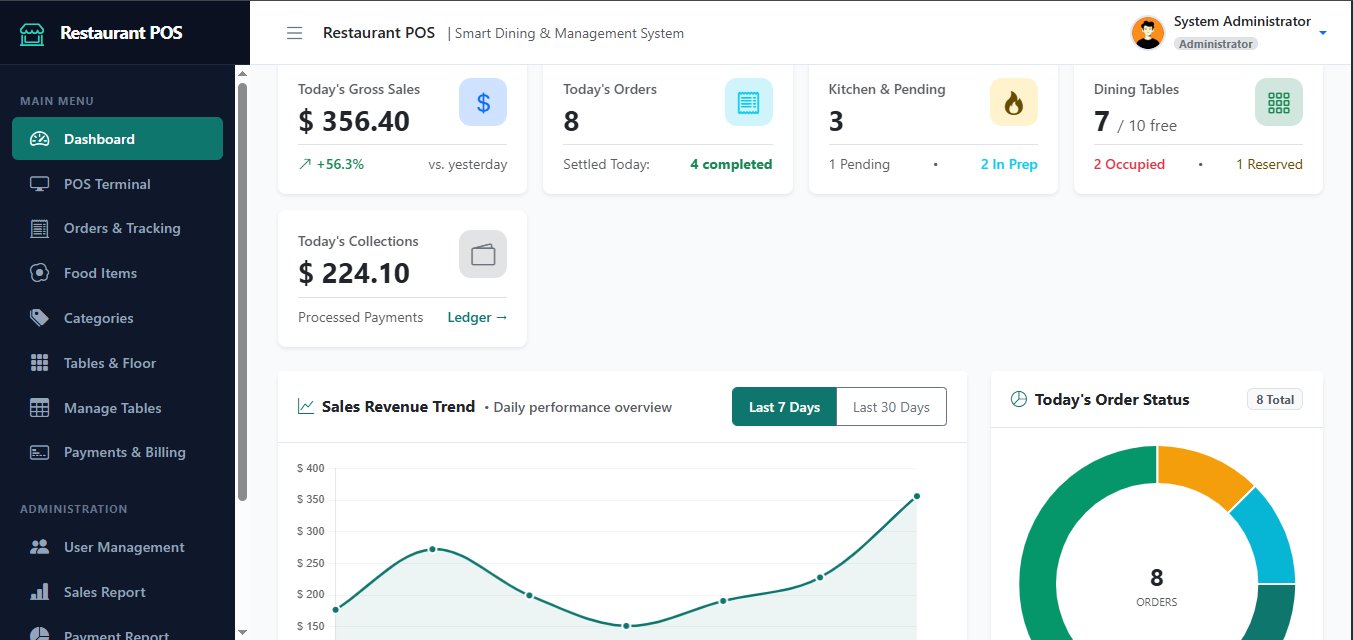
Dashboard
The dashboard provides a quick overview of the restaurant's daily performance. It can display important information such as:
- Today's Gross Sales
- Today's Orders
- Kitchen & Pending Orders
- Dining Table Status
- Today's Collections
- Completed Orders
- Sales Revenue Trend
- Today's Order Status
POS & Order Management
The POS interface allows staff to quickly create and manage restaurant orders. Food items can be selected by category and added to the current order with quantity and pricing information.
The system automatically calculates:
- Subtotal
- Tax
- Discount
- Grand Total
Each order receives a unique order number and stores the complete order history, including table, waiter, food items, quantities, prices and order status.
Kitchen Order Management
Restaurant staff can track the progress of orders through different stages:
- Pending
- Preparing
- Ready
- Served
- Completed
- Cancelled
Dining Table Management
Manage restaurant tables from a visual table management interface. Each table can have its own table number, name, capacity, section and status.
Supported table statuses include:
- Available – Ready for a new customer
- Occupied – Currently being used by a customer
- Reserved – Reserved for a customer
Menu Management
Easily organize the restaurant menu using categories and food items.
Each food item can contain:
- Food Name
- Category
- Description
- Price
- Tax Percentage
- Food Image
- Active/Inactive Status
Billing & Payments
The system provides a simple billing workflow with automatic tax, discount and total calculations.
Supported payment methods include:
- Cash
- Card
- Mobile Banking
- Other
After successful payment, users can generate and print a professional restaurant receipt containing order details, food items, quantities, pricing, tax, discount, total and payment information.
Reports & Analytics
Restaurant owners and managers can monitor business performance through simple and useful reports.
- Sales Report
- Payment Report
- Food Sales Report
- Date Range Filtering
- Total Orders
- Total Sales
- Total Tax
- Total Discount
- Paid Amount
- Payment Method Summary
- Best-Selling Food Items
Role-Based Access Control
The system includes role-based access control to ensure that different restaurant staff members only access the features they are authorized to use.
Default roles include:
- Administrator – Full system access
- Manager – Restaurant management and reporting access
- Cashier – POS, orders and payment access
- Waiter – Tables and order management access
Technology Stack
- Backend: Raw PHP 8+
- Database: MySQL
- Frontend: HTML5, CSS3
- UI Framework: Bootstrap 5
- JavaScript: Vanilla JavaScript / jQuery
- Database Access: PDO
- Authentication: PHP Session-based Authentication
Why Choose This Restaurant POS System?
- Lightweight and fast
- Easy to install and configure
- Simple and user-friendly interface
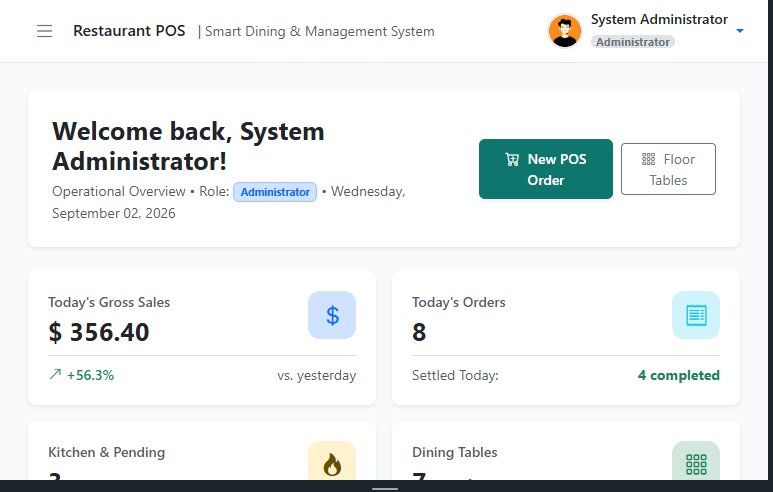
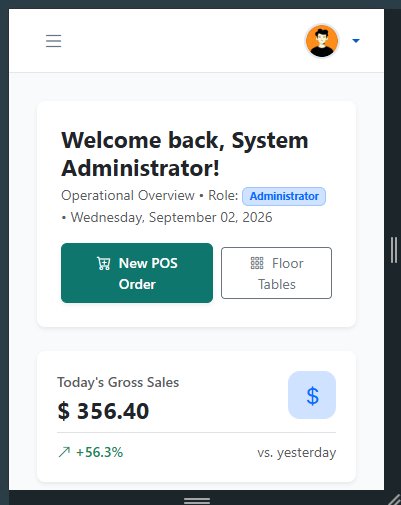
- Responsive on desktop, tablet and mobile devices
- Easy-to-understand restaurant workflow
- Role-based staff management
- Complete order-to-payment workflow
- Easy to customize and extend
- Built with widely supported PHP and MySQL technologies
Perfect For
- Restaurants
- Cafes
- Fast Food Shops
- Food Courts
- Small Dining Businesses
- Local Food Businesses
Requirements
- PHP 8.0 or higher
- MySQL 5.7+ / MySQL 8+
- Apache or compatible web server
- PDO PHP Extension
- PHP Session Support
Included
- Complete Restaurant POS & Management System
- PHP Source Code
- MySQL Database
- Responsive Bootstrap 5 Interface
- Role-Based Access Control
- Restaurant POS Module
- Order & Kitchen Management
- Table Management
- Menu Management
- Billing & Payment Management
- Reports & Dashboard
Support
The system is developed with a clean and modular structure, making it easier for developers to customize the design, functionality and business logic according to specific restaurant requirements.
Get started with a simple, lightweight and professional Restaurant POS solution for managing your daily restaurant operations.
Versions
Restaurant POS System – Food Ordering, Table, Billing & Sales Management
PHP Scripts
By Scriptovia
0 downloads · 0 sales
Log in to purchase
Login